
Name-Based Ector County Case Searches
The free local route starts on the county's Public Portal information page. That page links to Ector Odyssey. A party or caption search works when the cause number is unknown. Common names, though, can pull more than one case. Before opening any docket, check the court, the case category, the filing date, and each party's role. A similar caption alone is not enough.
- Open the official Ector portal and choose “Smart Search.”
- Enter the name or caption in the format the live screen requests.
- Apply only the court, category, and date filters that are shown.
- Compare each match by court, case type, date, and role.
- Open the right case and read its electronic docket events in date order.
The deeper search form needs JavaScript and cookies before it will load. Field labels and required flags may vary on the live form. Do not assume rules about partial-name matching, wildcard syntax, or field order; rely only on what the current form itself states.
| Field or Control | Type | Required | Research Note |
|---|---|---|---|
| Smart Search | Button | Choose route | Opens the local case index |
| Party or caption | Expected text | Unknown | Live form was not exposed |
| Court or category | Expected filter | Unknown | Use only options shown live |
| Filing date | Expected filter | Unknown | Exact range controls not confirmed |
Ector County Smart Search Boundaries
The Ector Odyssey Public Portal greets visitors with two tabs: Smart Search and Search Hearings. Smart Search digs through indexed cases. Search Hearings looks ahead to upcoming settings. The free tier gives a real-time case index and electronic docket entries for paperless courts. Document images stay off limits, though. That line matters for anyone reading an Ector County court docket closely. An entry can report that an order was filed. It may offer none of the order's text. The docket tells you what happened, not what it says.
Enhanced public access sits on a separate tier for approved roles. To reach it, register and sign in. Then open “Welcome, <Your Name>,” choose “Request Access,” state the approved role, and wait for email confirmation. Role approval rules and confidentiality rules still govern what you may see. Filings go through eFileTexas. It is a filing system rather than an Ector County docket search. Treat it as a companion to the portal, not a substitute.
Short sessions are common. Pushing a deeper search method can return an HTTP 405 error. Neither quirk closes off public search. If a session drops, reopen the official landing page, let the required browser functions run, and begin the docket lookup again.
Ector County Case Number Searches
A cause number is the best search key. It points to one court file and avoids confusion between like names. Ector sources use both "cause number" and "case number." No single universal local pattern applies across District Courts, County Courts at Law, JP courts, and Odessa Municipal Court. So never force a record into an invented format like YYYY-XX-#####. Enter the number exactly as written. Use the pleading, citation, order, or clerk notice. If the search rejects the number, check punctuation and leading zeros. Also check court level against the source document. Then search by permitted caption data and filter to the named court. District civil, family, and felony records generally route to the District Clerk. County-level and probate records can route to the County Clerk. JP and municipal cases use their own lower-court systems.
Ector County Court-Level Filters
A good match must belong to the right court. Ector County has five District Courts. It also has two County Courts at Law, four Justice of the Peace precincts, and Odessa Municipal Court. The District Clerk maintains the five District Court files. Coverage includes district civil, family, and felony records along with part of the statutory county-court civil record. The County Clerk handles county-level court and probate work identified in its official descriptions. Justice Courts keep precinct civil, eviction, Class C, and related dockets. Odessa Municipal Court keeps city ordinance, traffic, and Class C records. It uses a separate municipal public-access portal. Federal Midland/Odessa Division cases do not show up as local county cases. Those route to federal CM/ECF or PACER. Search the court listed on the paper, not merely the subject of the dispute.
Note: An Odessa city search and an Ector County docket search cover different custodians even when both concern a local resident.
Ector County Case Search Results Explained
A result row and its detail screen identify the file. They also trace its procedural path. Typical fields include the cause number, assigned court, category, filing date, caption, party roles, and counsel. Entries also list filing or event dates, hearing settings, and status or disposition. A docket event is only an index entry. It may leave out the filed document, exhibits, testimony, or the full terms of a signed order.
| Cause Number | The court's file identifier and strongest matching key. |
|---|---|
| Style or Caption | The named parties or government caption, subject to public-access limits. |
| Court and Category | The assigned court and broad case type used to confirm the route. |
| Filed Date | The date the case or filing entered the record. |
| Docket Event | A dated filing, order, notice, setting, or other recorded action. |
| Status or Disposition | The current recorded state or result, which must be read with later events. |
A calendar entry is not proof the hearing happened. A filed charge is not a finding. "Reset" means the date moved. Check "dismissed," "judgment," or any other disposition against the signed order when the exact terms matter. For document text or a certified copy, go to the holding clerk instead of treating an index line as the full file.
Validate an Ector County Docket Match
Broad name searches are where false matches creep in. Run a short check before recording any Ector County result. Compare the cause number if one is known. Confirm the court level and case type. Match the filing date or a known event. Read the party role rather than treating every named person as the same kind of participant. Save the source and access date too, because dockets change.
Best check: court, cause number, category, filing date, and role should point to the same Ector County matter.
If one key fact conflicts, return to the results and locate a better match or ask the clerk.
When you need to confirm that a hearing is actually still set, go from Smart Search to Search Hearings. Then move to the Ector County Court Schedule. Never stop at the search result alone. Check any hearing date against the newest signed setting order or the clerk's notice. Those papers control. That link is the straight line from an Ector County case match to its court date.
Two Ways to Search: Ector County and State
Start with the local portal when you already know a case sits in Ector County. It is free. It works as the county's case index. The portal lists upcoming hearings plus electronic docket entries for courts that have gone paperless. Turn to re:SearchTX for anything wider. That statewide tool helps when the matter might sit in another Texas county. It also helps when a spelling or search route is unclear, or when a second layer would help verify the result. Keep expectations in check, though, because neither route opens every record.
| Search Point | re:SearchTX | Ector Odyssey |
|---|---|---|
| Coverage | Participating Texas records with historical gaps | Ector County indexed court records |
| Search Areas | Cases, Filings, Text in Documents, Hearings | Smart Search and Search Hearings |
| Best Use | Cross-county discovery and cross-checking | A known local case or Ector hearing |
| Limits | Role, coverage, history, and document limits | No free public images; lower-court boundaries |
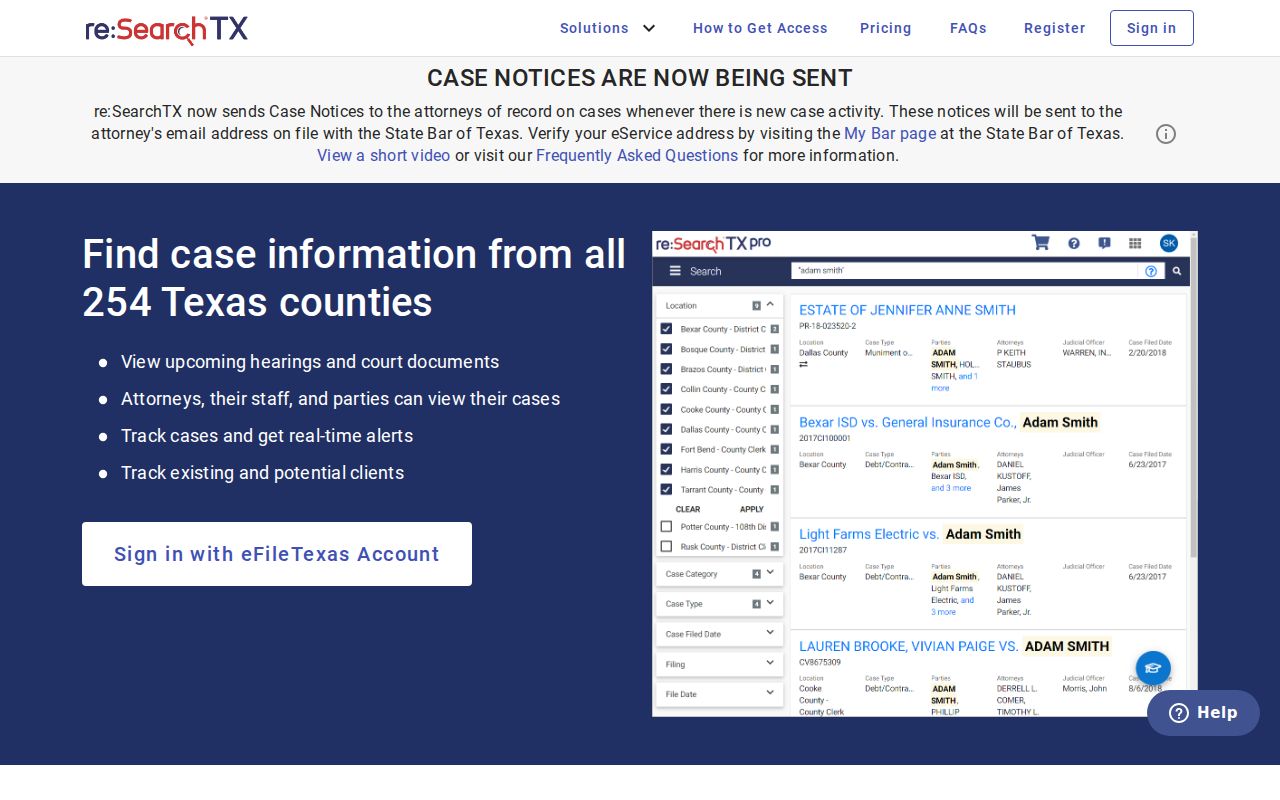
The statewide side offers a keyword search. An Advanced Search is there too, along with filters on the left edge, case and filing details, and links to hearings. Signed-in users can save searches or export results where that feature is enabled. Some documents carry statutory charges. Remember that access is role-based. So treat the state results as a lead, not a full substitute for the clerk who holds the original file.
Four re:SearchTX Search Paths
The official re:SearchTX quick guide splits the work into four paths: Cases, Filings, Text in Documents, and Hearings. Cases is the broad door. It leads to a case description and Case Details. Filings narrows in on filing records and Filing Details. Text in Documents searches the text of available documents within the access rules. Hearings homes in on hearing types and setting details.
Match the path to your question. Does the case exist at all? That is a Cases question. A known pleading points to Filings, and a future court date points to Hearings. Filters for location, category, date, and more can narrow any of these, though confidential or role-limited records may stay hidden or return a notice that some results are unavailable to your role. The official landing page for the statewide search lays out these paths.
That state layer is one piece of the picture. For any Ector County case, Ector Odyssey stays the first local index to check.
Older Ector County Docket Searches
Do not assume current online coverage equals a full historic archive. The District Clerk describes a historic index service as “coming soon.” It would cover the older civil and criminal docket, fee, and minute index books. Until that project arrives and its reach is clear, an old Ector County case may need direct clerk help. Bring the most precise name, time span, court, and case type you can support.
At the counter, ask whether the matter lives in a historic index, a minute book, or another clerk series. The District Clerk sits in Room 301 at 300 N Grant Ave., Odessa. The office answers the phone at 432-498-4290. County-level or probate material may instead belong to the County Clerk. That office sits in Room 111 and answers at 432-498-4130. Mail works too, for a tightly focused record request. A cause number, if you have one, clears up most of the guesswork.
Which Ector County Cases Stay Restricted
A missing result is not proof that no case exists. Sealed cases, expunged criminal records, juvenile material, protected family information, and role-restricted filings can all stay out of view. Texas Family Code section 58.007 protects juvenile records. Texas Code of Criminal Procedure Chapter 55A governs expunction. Texas Rule of Civil Procedure 76a covers sealing in civil matters. Rule 21c, meanwhile, requires sensitive data to be omitted or redacted in filings.
Ask the holding clerk directly whether the matter is sealed, confidential by law, restricted by order, not yet indexed, or held by another court. Staff cannot disclose protected content, so do not ask. A requester with a lawful right of access may have to show an order, identity, party status, or some other required basis. re:SearchTX applies its own role-based limits. It can leave out records you are not permitted to see.
Read public court data for its civic, case-tracking purpose. It can confirm a filing, event, setting, or closing step in your own matter or in a public case. Docket text is terse and needs context. The originating court remains the source for an authoritative record.